
For fourteen months I tracked my time, first by hand in Trello.
According to that log, email took forty minutes every morning.
The log was lying.
I have ADHD. When I opened my unfiltered inbox, I didn’t triage it. I fell down the rabbit hole. The newsletter I opened at 8:15 and was still reading at 8:35 never made the log. Reading isn’t a task, and I wasn’t going to write down that I’d lost twenty minutes.
So I switched to a tracker that recorded everything, whether I admitted to it or not.
Fifty-three hour weeks.
TLDR: Automating Google Workspace with AI starts with knowing what to automate, and you can’t know that from memory. This is a three-phase audit adapted from Google’s own adoption playbook. Log your real friction for three days, sort it into five categories, then score each task so you know which one to build first. There’s a free workbook with all three phases built out, further down.
The log was lying, and I was the one writing it
I want to be careful here, because this sounds like a discipline problem and it isn’t one.
I filled in that Trello log faithfully. Every day. What I didn’t do was record the twenty minutes I spent reading about someone else’s product launch when I’d sat down to answer three client emails.
That time didn’t feel like work. So it didn’t feel like something I should write down.
Every hand-written log has this hole in it. You record the task you meant to do. The tracker records what your morning really turned into.
The gap between those two things was the most useful number in my business, and for most of my career I had no idea it existed.
Google’s own adoption playbook asks you to keep a simple log for a few days. Good instinct. Incomplete method. The version below closes that gap.
What fifty-three hours a week looked like
Once something passive was recording, the true shape of my week showed up fast.
Over eighty percent of my day was spent inside five apps: email, documents, spreadsheets, Drive, and calendar. Forty-two percent of my time went to core admin.
Inbox triage. Follow-up emails and reminders. Booking, confirming, rescheduling. Updating client records, tasks and files. Invoicing. And underneath all of it, looking for things.
Forty-two percent of a fifty-three hour week is twenty-two hours. More than half of a normal full-time job, spent on work nobody was paying me for.
I was carrying twenty years of solopreneur data spread across apps that didn’t talk to each other. Every day meant ferrying things back and forth by hand.
And that was only the admin. Delivery support, business development and strategy sat on top of that.
When I rebuilt those systems inside Google Workspace and put Gemini on top of them, I got seventeen hours a week back. That took my week from fifty-three hours to thirty-six.
Two hours a day. That’s what it felt like.
Why my number is not your number
I’m giving you my numbers because I promised myself I’d only teach what I’ve tested. I’m not giving them to you as a target.
What you get back depends on four things:
- How much accumulated mess you’re sitting on. Twenty years of files, or two.
- How far your work has spread outside Google Workspace. Every app you’re ferrying data between is time you’re paying for twice.
- How many systems you rebuild. I didn’t stop at admin, which is why my number is large.
- How your brain behaves when you open an unfiltered inbox. Mine falls in.
That last one deserves an honest sentence. Because it’s the one that cost me most. The reason I worked sixty-hour weeks instead of forty was less about the volume of work. It was the twenty hours I lost focus. It’s also why I burned out twice.
There’s a benchmark worth knowing about. In 2024, Google studied enterprise customers using Gemini across Workspace and found an average saving of 105 minutes per week per user.
That’s their number, measured on teams, two years ago. Mine is much larger, and the reason matters.
Those teams added AI to workflows they already had. Same process, faster tool. I rebuilt the workflow first, then added Gemini to something that was already clean.
Different work. Different result. Which is the whole argument for auditing your time before you automate anything.
Phase 1: three days, and that’s the entire ask
Three days. Not a week. Not a month.
Tracking your own time by hand is painful and humbling, and anything longer than three days gets abandoned somewhere before the middle of the week. A finished three days beats an abandoned two weeks.
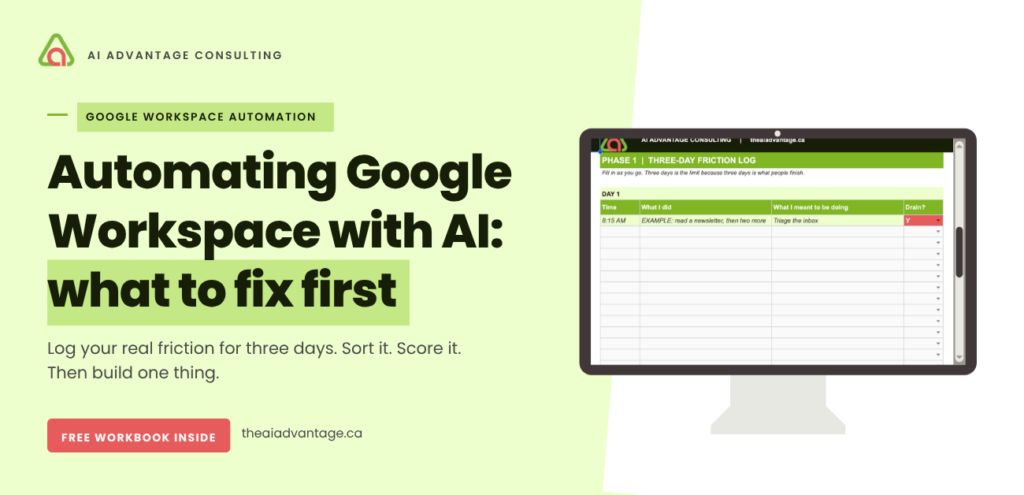
Four columns. That’s all:
| Time | What I did | What I meant to be doing | Drain? |
| 8:15 AM | Read a newsletter, then two more | Triage the inbox | Y |
Column three is the one that makes this work. If it’s blank, you were on task. If it says something different from column two, you’ve caught the thing a memory-based log never catches.
Column four is a Y or an N. Nothing more. It’s the only place you’ll record which tasks drained you rather than just took time, and you’ll need it in a minute.
Two rules, and they’re the difference between real data and fiction.
Fill it in as you go. Not at the end of the day. The end-of-day version is the tidy version, and the tidy version leaves things out. Just like mine did, for months.
Don’t clean it up afterwards. The embarrassing rows are the valuable ones.
It will feel uncomfortable to watch where your day goes. That discomfort is the data.
You don’t have to build the spreadsheet
I’ve already made it.
The Personal AI Audit workbook has all three phases set up: the three-day log with the drain column, the sorting tab, and the scoring matrix. The formulas are written. The totals calculate themselves.
It comes with a short user guide too. Five pages, one per tab, so you know what goes where before you start.
Drop your email, and I’ll send you the link. It opens into your own Google Sheet, so you can start logging tomorrow morning.
Phase 2: sort what you found
After three days you’ll have a messy log. Now you group it.
Go through your entries and pull them into real tasks. Every scattered inbox visit becomes one line called “morning email.” Total the minutes you actually observed, not the minutes you think it usually takes.
Then sort each task into one of five categories. These come straight from Google’s playbook:
- Productivity. Repetitive work. Formatting, scheduling, summarising, chasing.
- Quality of work. Things a client sees. Proposals, emails, presentations.
- Personal energy. The tasks that drain you out of proportion to the time they take.
- Client experience. Response times, onboarding, follow-up.
- New ways of working. Thinking, designing, building things that don’t exist yet.
Category three is where your Y column comes in. Most solopreneurs I work with are surprised by how much sits there, and by how little of it is the work they went into business to do.
Phase 3: score it, then build one thing
Now you know where your time goes. This is where you decide what to do about it.
Score every task from 1 to 5 on three questions:
Worth it? How much is this costing you now, and how much would fixing it free up? A task you do twice a year scores low even if you hate it.
Quick to build? Could you build this once and have it keep working? A filter, a prompt you reuse, a Gem. If it needs your attention every time, it scores low.
Right fit? Is Gemini genuinely the right tool for this, and is the information it needs already somewhere it can reach? If the answer lives in a spreadsheet on your desktop, the answer is no. This one also assumes Gemini is switched on properly in your account, which is a shorter job than people expect.
Add the three scores. Twelve or above gets built first.
A low “right fit” score is not a failure. It means the fix is a better system, not a better prompt. Half of what I rebuilt wasn’t AI at all. It was moving work into one place so AI had something clean to work with.
Then build one thing. The highest scoring one. Run it for a week and measure what came back.
If you want the full framework Google wrote for enterprise teams, the Leader’s Playbook for Gemini at Work Adoption is free to read.
Where this goes wrong
Logging at the end of the day. You’ll write down what you meant to do. I’ve made this mistake for months at a stretch.
Tidying up the log. The row you don’t want to write down is the row that matters most.
Automating the loudest task instead of the highest-scoring one. The thing that annoys you most is rarely the thing costing you most.
Building the fun one first. There’s always one task that would be interesting to automate. Check its score before you spend a Saturday on it.
Skipping Phase 1 because you already know where your time goes. I thought I knew. I was wrong by twenty minutes every single morning.
Questions I get about this
How long should I track my time before automating anything? Three days is enough to see the pattern. Longer than that and the tracking itself becomes the thing you abandon. If your week varies a lot, pick three days that look like a normal week rather than your quietest ones.
What should I automate first in Google Workspace? Whatever scores highest across all three questions in Phase 3. For a lot of solopreneurs that’s inbox triage, because it’s daily, it’s repetitive, and Gemini already has access to the information it needs. But score it rather than assuming.
Do I need to pay for anything extra to do this? No. If you’re on Google Workspace Business Standard, Gemini is already included in your subscription, along with enterprise data protection. The audit itself needs a spreadsheet and three days. If Gemini looks switched off in your account, this walks through the nine steps to activate it.
What if my tasks aren’t a good fit for AI? Then you’ve learned something useful. A low feasibility score usually means the work is spread across too many places for any tool to help. Consolidating comes first, and that’s often where the bigger saving is anyway.
Is a time tracking app better than writing it down? A passive tracker is more accurate, because it doesn’t care what you’re willing to admit. A hand-written log with a “what I meant to be doing” column gets you close, and it makes you notice the gap yourself, which changes behaviour faster.
The quick win
You’re three days away from knowing something about your business that you don’t know right now.
Not a guess about where your time goes. The real shape of it, including the twenty minutes you’d rather not write down. Everything else, every filter, every Gem, every automation, gets easier once you can see that clearly.
Log it. Sort it. Score it. Then build one thing.
Still want the workbook? Grab it here and start with three days.