
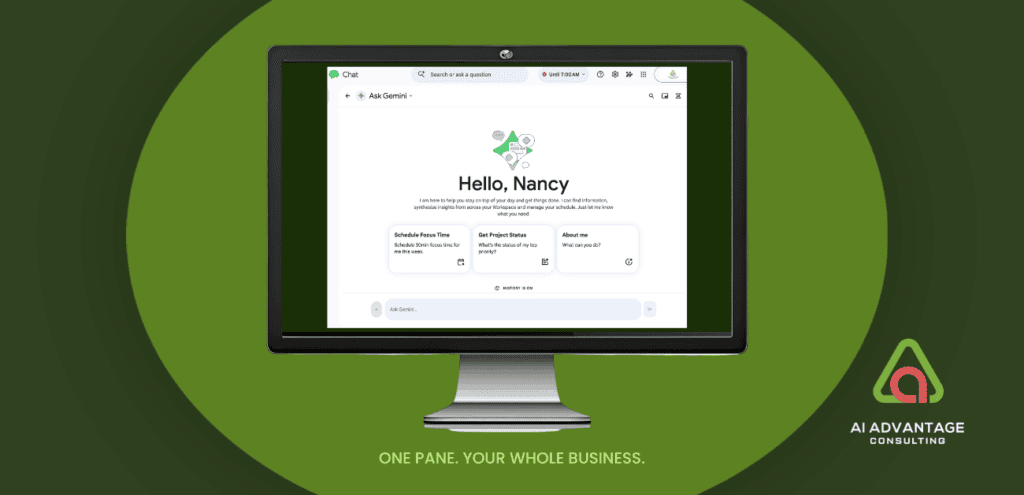
Saturday night. 10:15 pm. My dog Gemma went out for her last “potty” break before bed and came back with a face full of porcupine quills. In the corner of her eyes. On the roof of her mouth. And the nearest emergency vet almost two hours away.
We got home at 4am.
The vet emailed the paperwork, the invoice, and the medication instructions as attachments. The next morning we were groggy, wrung out, running on nothing. I couldn’t remember a word he’d said about the meds.
I didn’t open Gmail. I didn’t dig through attachments. I didn’t search my inbox. I didn’t have the mental bandwidth.
I opened Google Chat and asked Gemini.
It read through all three attachments and told me the medication was due in 24 hours. It noted Gemma should have food with it. It set a Calendar reminder. Then it drafted a thank you email to the vet that referenced the visit details from the attachments.
Out of the box, it was stellar. Thirty seconds. I didn’t open a single other app. I just asked, the way you’d ask a person sitting right next to you who had read everything and remembered it all.
That’s when I understood the power of Workspace Intelligence.
I’ve written before about the mental tax of running a solo business on willpower alone. This is what I found on the other side.
The Scattered Brain Behind the System
If your brain works anything like mine – scattered and brilliant and hyperfocused and distracted and deeply, fiercely creative – then maybe you need this too.
You’re not alone. Research suggests nearly 1 in 3 entrepreneurs identifies with ADHD. And if you’re a solopreneur running on pure willpower — or quietly wondering if executive dysfunction is turning your workday into an exhausting battleground – this is where you can stop and take a breath.
Popular productivity strategies weren’t designed for the way your brain works. When a system doesn’t fit, struggling to make it work isn’t a personal flaw. It’s a design problem.
What if your first task of the day wasn’t organizing a dozen digital doorways? What if you could skip the chaos of your inbox entirely?
That’s exactly what happened to me. And it started with a porcupine.
This Isn’t Just a Messaging App Anymore
For over two decades I’ve run my businesses on Google Workspace. And until recently, if you’d asked me how a solopreneur could use Google Chat, I’d have said:
“Don’t bother. It’s designed for teams you don’t have.”
Google made me eat those words.
In April 2026, Google rolled out Workspace Intelligence — and with it, Google Chat became something entirely different. It’s no longer just a messaging tool. It’s the daily logistics engine for your entire business.
Think of it like stepping out of a noisy mailroom and sitting down at a clean, quiet desk where your daily logistics engine already has all the context. Every email. Every file. Every calendar event. Every attachment. All of it — without you having to go looking.
Google Workspace and Understood.org put it well in their neurodiversity guide: our brains expend a massive amount of mental fuel just organizing thoughts, recalling context, and filtering out digital noise. That’s the tax we pay before we even start the actual work.
Workspace Intelligence eliminates that tax.
What I Can Do Now Without Leaving Chat
This week I asked Gemini in Chat whether I’d finalized Week 4 of Workspace Elite. It told me I hadn’t, listed the outstanding items, and included a link and preview to the working file.
On paper, my Drive is perfectly organized. It’s also 20 years old. There’s a lot in there.
Having Chat is like having a secretary and asking, “go get this for me, please.” You don’t have to know where it’s filed. You don’t have to remember what you called it. You just ask.
Here’s what I can do now without opening a single other app:
Find and synthesize anything. Emails, files, attachments, decisions from three months ago. I just ask.
Draft emails. Chat writes them. I send them. The thank you to Gemma’s vet took me thirty seconds.
Manage my calendar. Ask Gemini to schedule focus time, add a meeting, or check what’s coming up this week.
Get my daily briefing. Every morning, Gemini surfaces what actually needs my attention. Not everything — the important things.
Your business is no longer run on willpower or memory. It runs on one intelligent system.
One thing worth mentioning. Google’s marketing says Chat can generate documents and slide decks. In my testing, it can’t. It can draft the content, but it cannot initialize a new file in your Drive. That still requires you to open the app.
If building something out of nothing is what you need, that’s the Gemini app’s job. Chat is built for something different — running the logistics of your day.
How to Set Up Your Minimal, Sensory-Friendly Workspace
Google Chat’s default layout can feel noisy out of the box. Here’s how I set mine up for maximum calm and focus.
1. Make it “Sticky”
First, let’s separate it from the noise and make it easy to find.
- Open Google Chat in Chrome (chat.google.com).
- Click the three vertical dots in the upper-right corner of Chrome, select Save and share, and click Install page as app (or click the monitor-and-arrow shortcut right in your URL bar).
- Drag that new Google Chat app icon directly onto your Mac Dock or Windows Taskbar.
One click. Dedicated window. No browser tabs competing for your attention.
2. Activate “Calm Mode”
This matters more than it sounds. Harsh notification sounds can trigger a fight-or-flight response in neurodivergent brains. Calm mode is not a preference. It’s a boundary.
- Open Chat Settings (the gear icon at the top right).
- Navigate to Notifications and change your notification to “Calm.”
- Turn on Do Not Disturb and set your quiet hours.
3. Switch to Threads View
Chat defaults to a Home feed you can’t clear — notifications stack up chronologically and there’s no way to get to zero. It’s a trap for clean-space brains.
Toggle your filters to Active Threads view.
4. Close the Right-Hand Pane Entirely
As a solopreneur, you don’t need it. Corporate teams use that sidebar for group cross-talk. You’re having a direct conversation with your business data.
- Move your mouse to the top right of that right-hand pane and click the “X” to close it completely.
- Your central Gemini command pane will dynamically expand to fill your entire screen, leaving you with an immaculate, wide visual desk.
Look at that. An immaculate canvas.
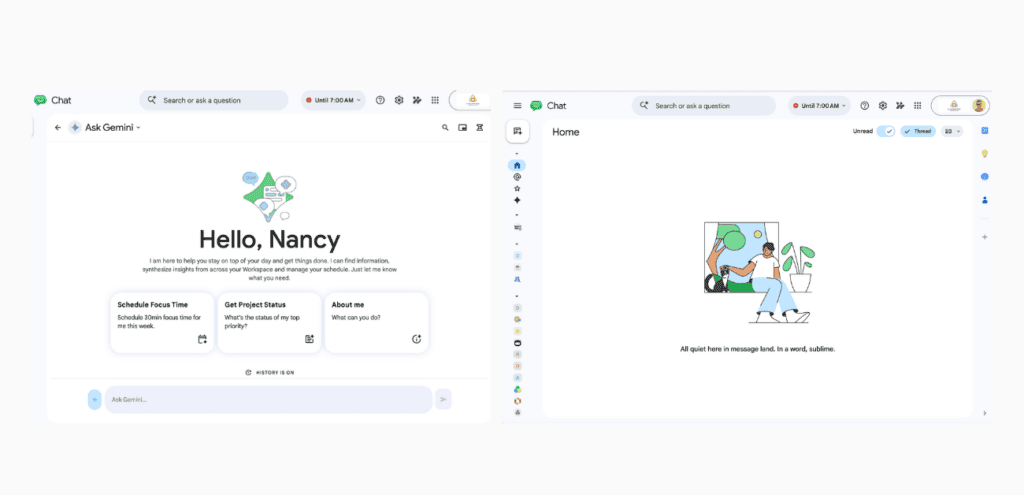
That second screenshot is my Home tab after switching to Threads view. All quiet here in message land. In a word, sublime.
You Already Have This
For years, solopreneurs have been told the secret to productivity is more discipline. Better planners. Another tool on top of all the other tools.
But if you’re already on a Google Workspace plan, you’re sitting on a Ferrari.
You don’t need a new system. You need to stop managing the chaos and let one intelligent system manage it for you.
Close the extra tabs. Drop your shoulders.
Your Daily Logistics Engine is already waiting.